Top 10 Data Analysis Tools Every Analyst Should Use
.webp&w=1920&q=75)
Top 10 Data Analysis Tools Every Analyst Should Use
Most analysts do not need more tools. They need a better stack. The best teams combine storage, transformation, visualization, and AI in a way that reduces manual work and helps them move from raw data to decisions faster.
The real challenge today is not whether data matters. It is whether analysts can turn growing volumes of data into clear, timely, decision-ready insight. As the number of tools expands, choosing the right stack has become almost as important as the analysis itself.
But the analysts powering those insights. They need strong data analyst tools. What slows most analysts down is not lack of skill. It is fragmented data, repetitive reporting, manual cleanup, and too many disconnected systems. The right tools help reduce those frictions so analysts can spend more time interpreting results and less time assembling them.
In this guide, we’ll cover what these tools are, how they’re used, and 10 of the most effective options today. You’ll find platforms here that can make your analysis sharper and your decisions more confident. This list covers a mix of foundational systems, analyst workhorses, visualization platforms, and newer AI tools. The goal is not to name the flashiest products, but to show which tools matter, where they fit, and what kind of analyst or team gets the most value from each one.
What Are Data Analysis Tools?
At a practical level, these tools help analysts do four jobs: store data, clean it, explore it, and communicate what it means. The strongest teams rarely rely on one platform alone. They use a stack that matches how their work actually gets done.
Data analysis tools are software applications and digital platforms designed to collect, organize, and interpret raw data. Some tools sit behind the scenes as infrastructure. Others help analysts query data directly, build models, create dashboards, or automate recurring work. Understanding that difference matters because a database, a BI platform, and an AI assistant solve very different problems.
Some tools specialize in visualization (turning data into intuitive charts). Others focus on crunching massive datasets. And still others removing the repetitive tasks analysts would otherwise do manually. That distinction matters because no single tool is equally good at everything. A dashboard may show performance clearly, but it will not replace a transformation layer. An AI interface may speed up analysis, but it still depends on clean underlying data.
The best data analyst tools combine:
Database to store information
A transformation layer to keep it clean
A visualization tool to present it clearly
An AI layer to speed up the whole process
Together, those layers create a stack that is more reliable than any single application on its own. The database keeps information accessible, the transformation layer keeps it trustworthy, the visualization layer makes it usable, and the AI layer helps analysts move faster without getting stuck in repetitive work.

What Are the Four Types of Data Analytics Tools?
This framework is useful because it shows that analytics is not one task. Analysts need tools that explain what happened, diagnose why it happened, forecast what may happen next, and guide what action to take.
When people talk about data analytics tools and techniques, they often divide them into four categories. In practice, most analyst workflows touch more than one of these categories. A BI dashboard may handle descriptive analytics well, while Python or Spark may be better for predictive work, and AI tools may help surface prescriptive next steps more quickly.
Which Tools to Use During Each Phase of Data Analysis
The right answer is usually not one tool. It is a toolkit. Different stages of analysis call for different systems, and the strongest workflows combine them instead of forcing one platform to do every job.
Different questions call for different tools. Here’s how analysts usually structure their toolkits. If the question is “What changed?”, a BI tool may be enough. If the question is “Why did it change?”, analysts may need modeling or deeper analysis tools. If the question is “What should we do next?”, that is where forecasting and AI-assisted workflows become more valuable.
Business Intelligence
BI platforms consolidate metrics across departments, giving executives a single place to track performance. BI is strongest when the goal is monitoring performance consistently over time. It gives leadership a stable view of key metrics, but it usually depends on upstream systems to keep the data clean and on deeper tools when teams need root-cause analysis.
Data Visualization
Data visualization tools translate complex data into charts and dashboards. This is critical for investor updates, board meetings, or cross-team collaboration. Visualization matters because strong analysis still has to be communicated well. A chart can make a trend obvious, highlight outliers quickly, and help non-technical audiences understand what matters without reading through a dense model or table.
Data Mining
Data mining tools uncover patterns that would otherwise go unnoticed, like detecting fraud in financial transactions or identifying which product features drive repeat purchases. This is especially useful when the signal is not obvious from summary reporting alone. Pattern detection, anomaly analysis, and driver identification can all help teams move beyond what happened and get closer to what is actually influencing performance.
The Role of AI in Data Analytics
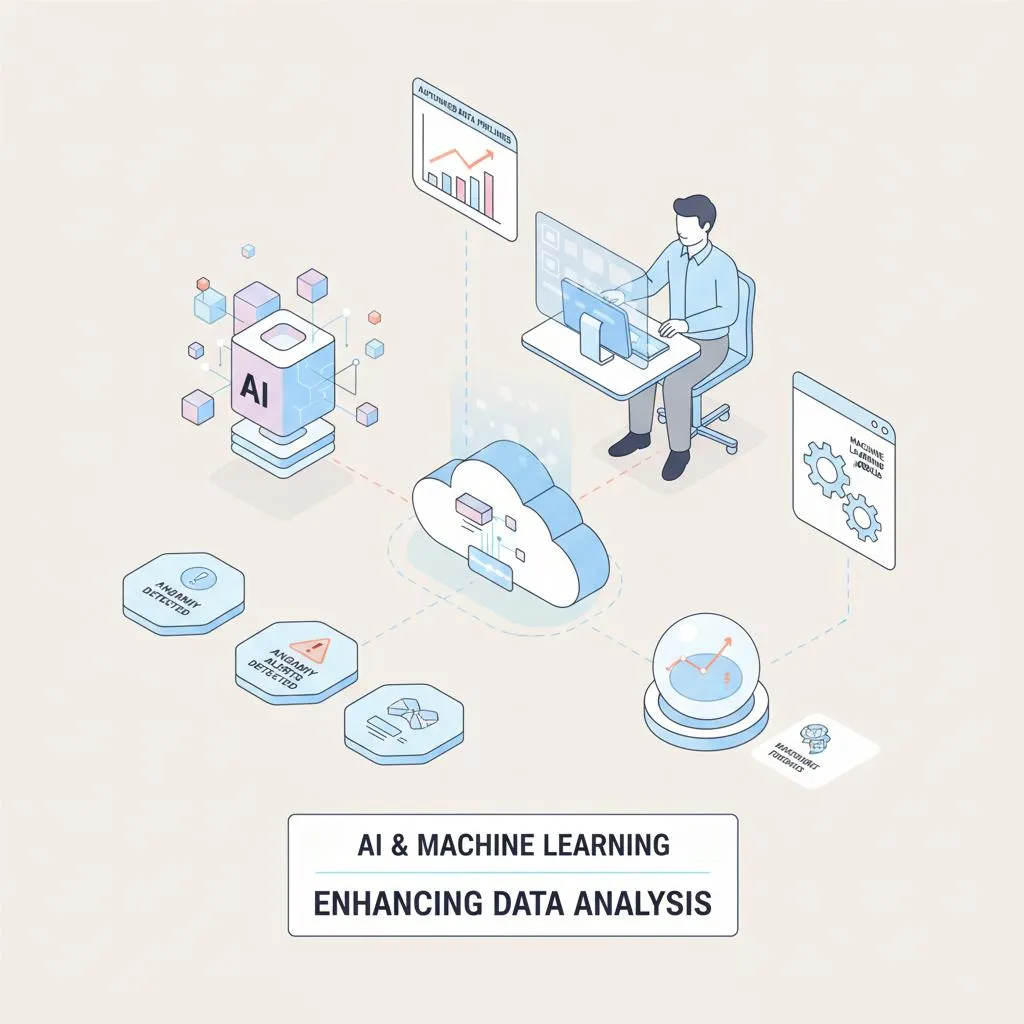
Now that online data analysis tools leverage machine learning, analysts can query data in plain language, detect anomalies, and forecast outcomes. That said, AI works best when it sits on top of clean systems and well-structured data. Natural language querying is powerful, but the quality of the answer still depends on the quality of the underlying inputs and the logic behind the workflow.
AI doesn’t replace human analysts, it just amplifies them. Flags issues before they escalate, and runs forecasts in seconds. That’s the practical impact of AI on data analysis today. In practical terms, that amplification shows up in tasks like faster first-pass analysis, automated summaries, earlier anomaly detection, and less time spent on repetitive reporting. The value is not just speed. It is freeing analysts to spend more time on judgment and less time on mechanical work.
AI is increasingly becoming the interface layer that helps analysts work across the res t of the stack. Instead of replacing databases, models, or dashboards, it helps users query them faster, summarize outputs, flag issues, and move from question to answer with less manual work.
10 Best Data Analysis Tools Right Now
The list below includes a mix of infrastructure, analyst tools, reporting platforms, and AI-enabled products. They are not all solving the same problem, which is exactly why understanding fit matters more than chasing whichever product is newest.
Here’s our list of the best data analytics programs available today. It’s a mix of classics, modern platforms, and AI-driven newcomers. These tools were selected based on how often they show up in real workflows, how well they solve a specific part of the analytics process, and how useful they are across different levels of technical complexity.
1. Power BI
Primary use: Business intelligence and dashboarding.
Microsoft’s Power BI with Excel, SQL databases, and cloud platforms. It’s ideal for turning raw business data into.
Power BI is often the practical choice for organizations already operating inside the Microsoft ecosystem. It is especially strong when teams need centralized dashboards, recurring reporting, and broad access across business users without building everything from scratch in code.
Its tradeoff is that it is best as a reporting layer, not as a full replacement for deeper modeling, transformation, or advanced custom analytics.
Best features:
Drag-and-drop dashboards
Real-time updates
Those strengths matter most for teams that need to publish dashboards quickly, keep reporting current, and connect multiple business systems into one visible layer.
Pricing:
A free version is available, but most analysts will want the capabilities of a paid plan.
Power BI Pro: $14/user/month
Power BI Premium Per User: $24/user/month
The free version may be enough for light individual use, but most collaborative teams will need one of the paid tiers to make the platform useful at scale.
2. Python
Primary use: Advanced modeling and statistical analysis.
With libraries like Pandas and Scikit-learn, Python is one of the best data analyst tools.
Best features:
Flexibility
Machine learning libraries
In practice, that means analysts can build almost anything, draw from a deep ecosystem of packages, and solve problems quickly because so much documentation and community knowledge already exists.
Pricing:
Free, open-source.
3. Apache Spark
Primary use: Large-scale processing.
Spark is best when scale is the problem. For organizations processing very large datasets, it can handle workloads that would overwhelm lighter tools. That makes it more relevant for advanced data environments than for the average business analyst working in spreadsheets or BI dashboards.
Best features:
High-speed distributed computing
ML integration
Scalability
Those capabilities matter because they allow teams to analyze very large volumes of data without waiting on systems built for much smaller workloads.
Pricing:
Free, open-source; enterprise support available via Databricks.
As with many open-source tools, the software may be free, but production use often depends on paid infrastructure and engineering support.
4. Altair RapidMiner
Primary use: Data mining and predictive analytics.
Altair RapidMiner offers a visual workflow that makes advanced modeling approachable. For those who need predictive power without heavy coding.
RapidMiner is appealing for teams that want predictive modeling without building every workflow manually in code. It can be a useful middle ground between heavy technical tooling and lighter business-user software.
Best features:
Drag-and-drop modeling
Automation
Wide algorithm library
Those features make it easier for analysts to test models, automate repeatable steps, and work with predictive techniques without starting from a blank coding environment.
Pricing:
RapidMiner pricing is not available online.
That lack of transparent pricing may be a limitation for smaller teams comparing costs across multiple platforms.
5. Tableau
Primary use: Visualization and reporting.
Tableau excels at turning complex datasets into interactive visuals.
Tableau remains one of the strongest visualization platforms when the goal is rich, interactive exploration of data. It is especially useful for teams that care deeply about how insight is presented and want more flexibility in dashboard design and analytical storytelling.
Compared with Power BI, Tableau is often favored for visual sophistication, while Power BI may be the more practical choice for Microsoft-heavy environments.
Best features:
Visuals
Strong data connectors
Interactive dashboards
Those strengths make Tableau especially useful when analysts need to explore data dynamically and present findings in a way that is both polished and easy to interrogate.
Pricing:
Subscription-based, with multiple tiers.
Tableau Creator: $75/user/month
Enterprise Creator: $115/user/month
Tableau Explorer: $42/user/month
Enterprise Explorer: $115/user/month
Tableau Viewer: $15/user/month
Enterprise Viewer: $115/user/month
Pricing can become a meaningful factor here, especially for larger teams. Tableau’s strength is clear, but budget-conscious organizations often weigh that against less expensive alternatives.
6. Excel
Primary use: Everyday analysis.
Still the workhorse of analytics, Excel handles quick calculations, models, and exploratory analysis.
Excel remains essential because it is flexible, familiar, and fast for first-pass analysis. Many workflows still begin there, especially when analysts need to test assumptions quickly, build lightweight models, or work through a problem without waiting on a larger system.
Its limitation is scale and control. As data grows and collaboration becomes more complex, spreadsheets become easier to break and harder to govern.
Best features:
Pivot tables
Formulas
Macros
Those features still matter because they let analysts move quickly from raw data to structured analysis without needing a full engineering workflow behind them.
Pricing:
Included with Microsoft 365.
Its wide availability is one reason Excel remains so embedded in business workflows, even when more specialized tools are available.
7. Julius AI
Primary use: Conversational queries.
A newer entrant, Julius AI lets users ask data questions in plain English. Tools like Julius AI are useful because they lower the barrier between a business question and an analytical response. For fast exploration and plain-language querying, that can make analytics more accessible to non-technical users.
The key caveat is that conversational analytics still depends on clean structure, trustworthy data, and careful validation. Natural language makes analysis easier to start, but it does not remove the need for judgment.
Best features:
Natural language interface
Quick setup
Growing integrations
Those strengths are most valuable for teams that want a faster entry point into analysis without forcing every user to learn SQL, Python, or a complex BI environment.
Pricing:
Free plan with limited features.
Plus: $16/month
Pro: $37/month
That pricing may make it attractive for individual users or smaller teams testing AI-driven workflows before committing to a larger platform shift.
8. dbt
Primary use: Data transformation and modeling.
dbt is a staple among data engineers and analysts who want cleaner pipelines. It ensures BI dashboards rely on accurate, consistent inputs.
dbt matters because reliable analytics starts long before a dashboard is published. By structuring transformation logic clearly and making it easier to test, version, and reuse, dbt helps teams trust the data flowing into downstream reporting.
It is less a front-end analysis tool than a foundation for consistency, governance, and repeatability.
Best features:
SQL-based workflows
Version control
Strong community support
Those features matter because they make analytics workflows easier to audit, maintain, and scale across teams rather than leaving critical logic hidden inside ad hoc reports.
Pricing:
Free open-source and paid cloud versions.
The right version depends on how much collaboration, governance, and managed infrastructure a team needs.
9. Datawrapper
Primary use: Quick charting.
For analysts who need a clean chart, Datawrapper delivers. It’s browser-based and requires no coding.
Datawrapper is especially useful when speed and presentation quality matter more than deep analytical complexity. It is well suited for teams that need fast, clean visuals for publishing, reporting, or communication without a heavier analytics setup.
Best features:
Easy publishing
Strong design templates
No software downloads
Those strengths make it a strong fit for fast-turn reporting, editorial teams, and analysts who need polished output without a long production process.
Pricing:
Free for basics; premium plans add customization.
Custom: $599/month
Enterprise: Contact the company for a custom quote
That premium pricing will make the most sense for teams that rely heavily on branded publishing or high-volume reporting outputs.
10. MySQL
Primary use: Database management.
Still one of the most popular relational databases, MySQL stores structured data for analysts to query at scale.
MySQL earns its place on this list not because it is a front-end analyst experience, but because many analytics workflows depend on reliable structured storage underneath. For teams managing recurring reporting or large operational datasets, that foundation matters.
Best features:
Reliability
Scalability
Open-source flexibility
For analytics teams, those strengths translate into dependable storage, long-term usability, and the ability to support growing workloads without rebuilding the entire foundation.
Pricing: Free, with enterprise support via Oracle.
That flexibility makes it appealing across both smaller environments and more mature enterprise stacks, depending on support needs.

Final Thoughts
The real takeaway is that the best analytics stack is rarely the one with the most tools. It is the one that reduces friction, improves trust in the data, and helps teams move from analysis to action with less wasted effort.
Analysts today don’t lack tools. In fact, they face the opposite problem. There are hundreds of platforms vying for analysts’ attention, each promising sharper insights. What most teams get wrong is not picking the weakest product. It is choosing too many overlapping tools without a clear view of how they fit together. Better analytics usually comes from better workflow design, not simply more software.
The key is building a toolkit that fits your workflow: a strong database (MySQL), a transformation layer (dbt), a visualization platform (Tableau or Power BI), and increasingly, an AI-powered assistant like Julius to accelerate the process. That mix will vary by team, but the principle is consistent: clean systems first, clear reporting second, and AI layered on top where it can genuinely save time or improve responsiveness. The best outcomes happen when each layer supports the others instead of competing with them.
Want to simplify data analysis for your commercial real estate portfolio?
For commercial real estate teams, the challenge is often more than analysis alone. Data is scattered across property systems, spreadsheets, PDFs, market sources, and recurring reporting workflows. That makes a purpose-built analyst platform especially relevant.
Leni is your new that connects fragmented systems, answers questions in plain language. Leni is an AI analyst platform purpose-built for real estate that turns documents and data into underwriting, research, memos, and automated reporting, so teams can move faster with higher confidence.
What makes Leni different is not just chat-based access to information. It is built around real estate workflows, including underwriting and modeling, document extraction, market research with source links, investment memo creation, and recurring portfolio reporting.
Leni also reduces the time lost to repetitive analysis, manual document review, copy-pasting between systems, and back-and-forth prompting. For teams that need finished work product rather than partial answers, that can create a meaningful operational advantage.

Leni
Purpose-built AI analyst for investment finance and real estate. Leni runs persistent workflows across underwriting, market research, memos, and reporting so teams can move faster with higher confidence.

Curious About AI?
Join the largest AI community for real estate online. Get bite-sized, real-world use case videos, plus practical tips and proven strategies from top industry experts on adopting AI effectively.
MEET LENI
AI SuperAgent Purpose Built for Investors and Operators.
Experience how professionals and teams in your domain are getting the edge using AI.
