Leni Connect: Bring Your Favorite Apps Into Your AI Workflow

Leni Connect: Bring Your Favorite Apps Into Your AI Workflow
The work you do probably doesn’t live in one place.
Chances are it’s scattered across spreadsheets, email threads, calendar invites, shared folders, CRMs, project trackers, dashboards, notes, and reports.
Leni Connect brings more of that context into Leni, so your AI business analyst can help you work faster across the tools you already use.
What is Leni Connect?
Leni Connect is a feature that lets users connect Leni to 1,000+ apps across their day-to-day work.
Once connected, Leni can use the context from those apps to help analyze, summarize, plan, report, and more. Instead of copying information out of one tool, pasting it into another, and trying to explain the context, you can give Leni access to the places where your work already lives.
That means Leni can help you answer questions like:
What changed since our last meeting?
What’s buried in this email thread?
What does this spreadsheet show?
What follow-ups came out of this project?
What should I know before this call?
Where do the numbers look off?
What should my team do next?
Leni Connect helps Leni deliver stronger outputs backed by the added context pulled from your connected tools. The more relevant context Leni has, the more helpful the output becomes.
What apps can I connect with Leni?
Leni Connect supports 1,000+ apps, so the exact list is much bigger than any one article can cover. A good way to think about it is by category.
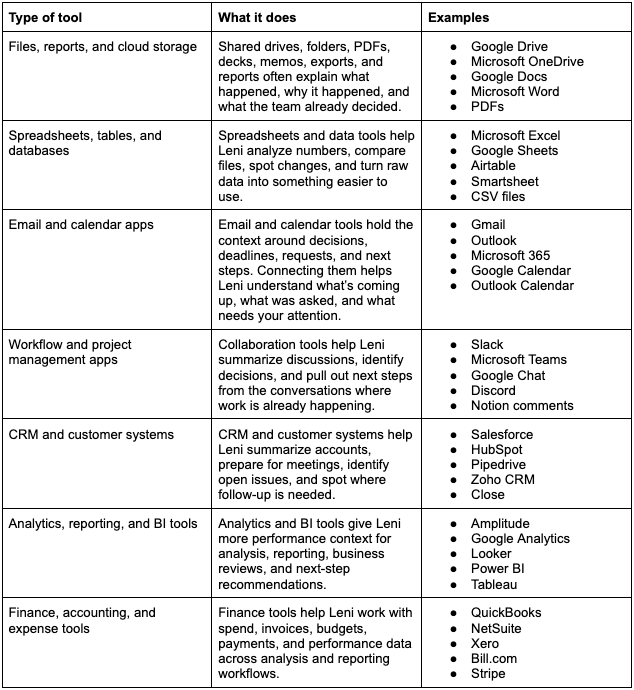
Note: Enterprise accounts can also connect property management systems and operating platforms like Yardi, RealPage, and Entrata.
The benefits of Leni Connect
Most business work has tons of context behind it.
A spreadsheet is more useful when Leni can also see the budget file. A meeting summary is stronger when Leni can reference the calendar invite and prep notes. A project update is clearer when Leni can check the task tracker, related documents, and recent email thread.
Leni Connect helps you:
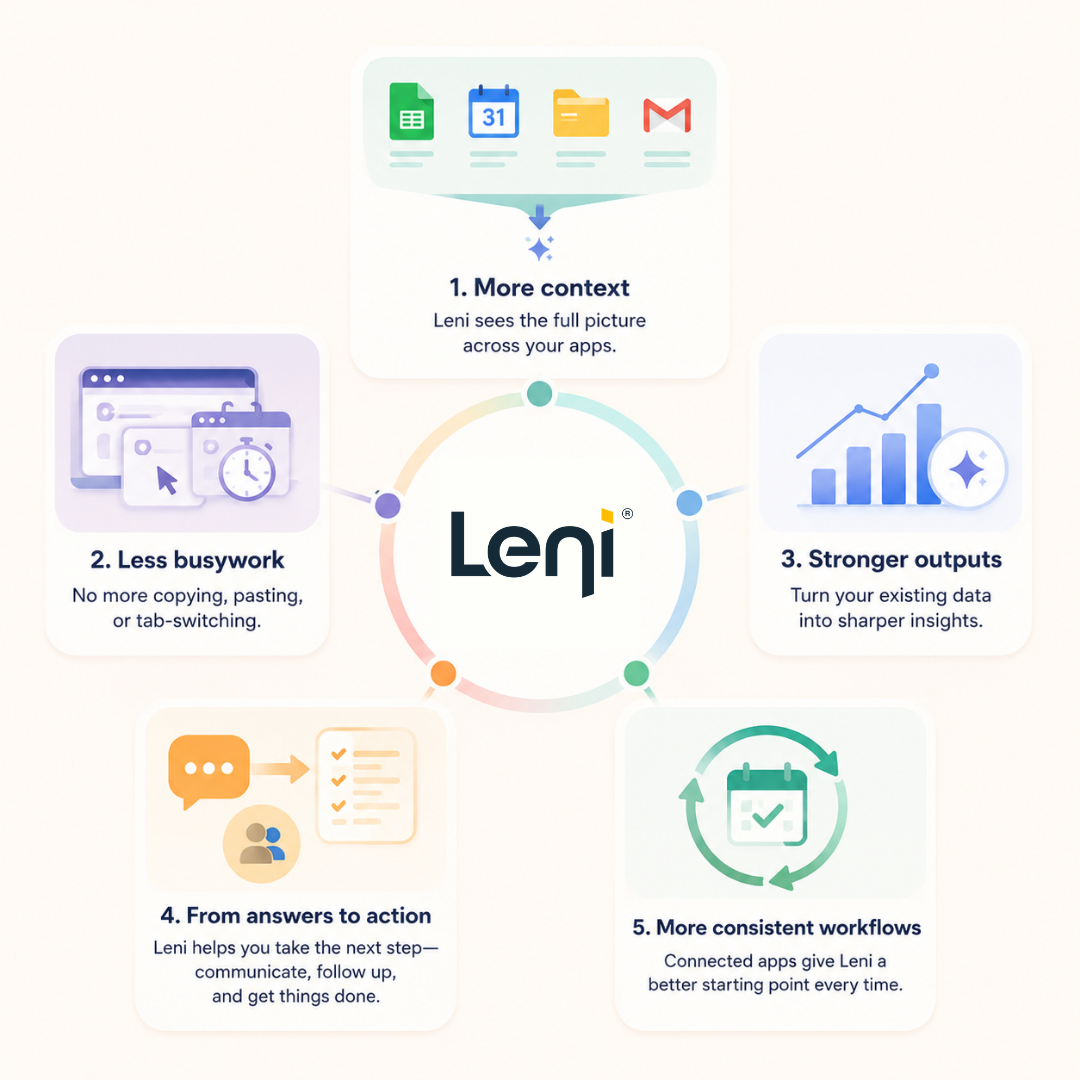
Bring more context into every task
AI outputs improve when the AI has better context. Leni Connect gives Leni the background needed to produce more useful answers without making you explain everything from scratch.
Instead, you can point Leni toward the connected apps that already contain the relevant files, records, messages, and data.
Reduce copying, pasting, and tab-switching
Without connected apps, simple tasks turn into manual scavenger hunts across spreadsheets, emails, meeting invites, folders, and project trackers.
Leni Connect cuts down on that setup work. When Leni can access the right apps, you spend less time gathering context and more time using the output.
Get stronger outputs from your existing data
Your team already has the data. It’s just spread across too many tools.
Leni Connect helps Leni use that information more effectively, whether you need a sharper summary, cleaner analysis, stronger first draft, or more complete report.
Move from answers to action
A useful AI answer is only the first step. From there, AI needs to help your team decide, communicate, and follow through.
By connecting to email, calendar, workflow apps, and file storage, Leni can help turn analysis into next steps, from meeting prep to follow-up drafts to open-item summaries.
Build more consistent workflows
Leni Connect also makes recurring work easier to repeat.
If you run the same weekly report, prepare for the same standing meetings, or summarize the same operating updates, connected apps give Leni a better starting point each time.
How to make the most of Leni Connect
The best way to use Leni Connect is to start with the workflows where you already spend too much time gathering context.
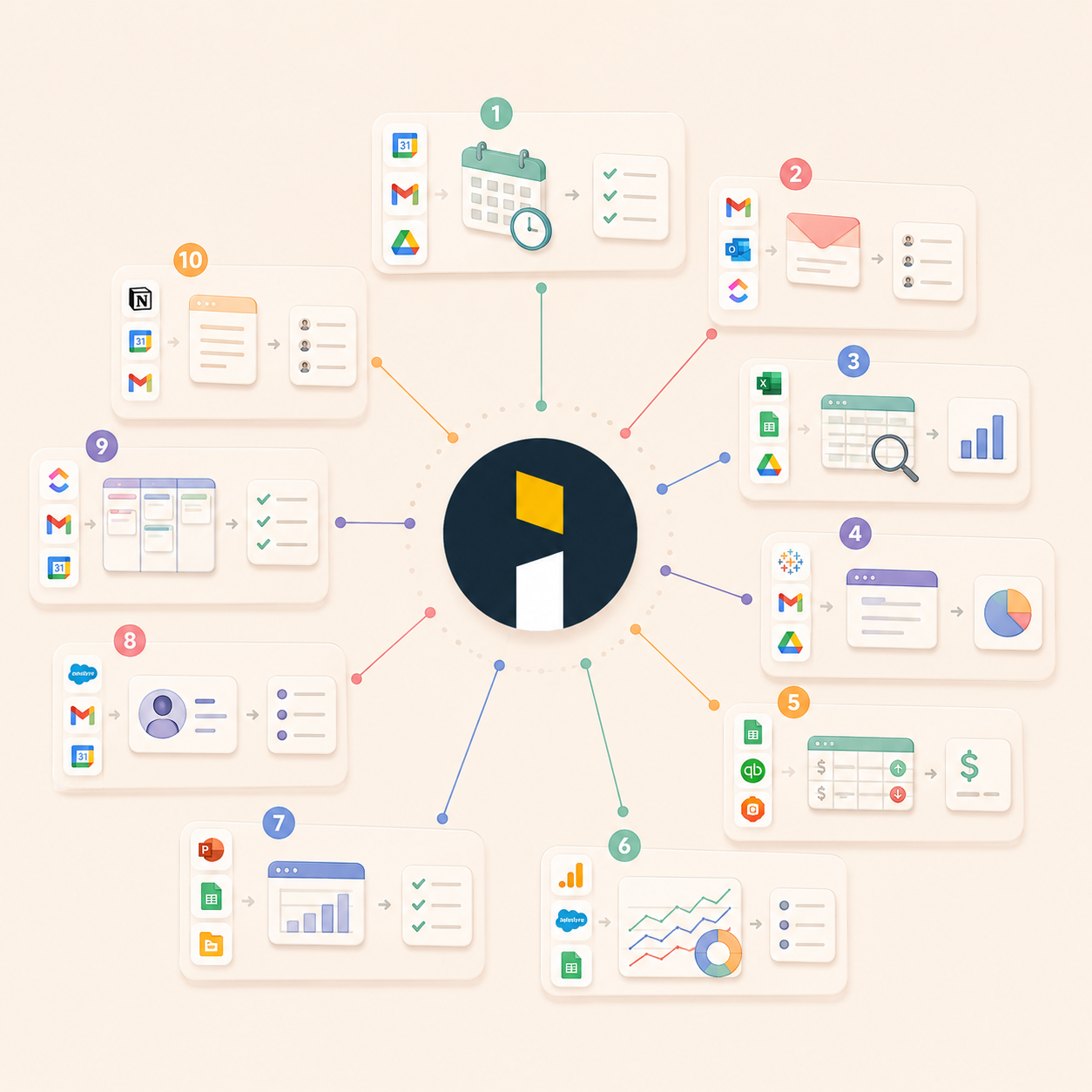
Here are 10 practical examples of what Leni can help with once your apps are connected:
1. Prepare for meetings faster
What to connect:
Calendar
Email
File storage
Before a call, ask Leni to summarize the agenda, pull related notes, identify open questions, and flag any files you should review. For recurring meetings, Leni can also help compare what was discussed last time with what needs attention now.
Try asking:
“Help me prepare for my next meeting. Summarize the context, open questions, and decisions we need to make.”
2. Turn email threads into next steps
What to connect:
Gmail or Outlook
Calendar
Project management tools
Follow-ups tend to get buried in long email threads. Ask Leni to summarize the conversation, identify who asked for what, and turn the thread into a clear list of next steps.
Try asking:
“Summarize this email thread and turn it into action items with owners and deadlines.”
3. Analyze spreadsheets without starting from scratch
What to connect:
Excel
Google Sheets
File storage
Ask Leni to review spreadsheet data, find trends, explain variances, compare files, or identify outliers. Instead of manually scanning rows and columns, you can ask for the analysis you need in plain language.
Try asking:
“Review this spreadsheet and tell me what changed, what looks unusual, and what I should look at first.”
4. Build a weekly executive summary
What to connect:
Reporting tools
Email
Notes
File storage
Weekly updates often require context from several places. Ask Leni to pull together recent reports, notes, emails, and performance data into a concise summary for leadership.
Try asking:
“Create a weekly executive summary using the latest project updates, emails, and reporting files.”
5. Reconcile budget vs. actual spend
What to connect:
Spreadsheets
Accounting tools
Expense tools
Reporting files
Ask Leni to compare planned spend against actual spend, summarize the largest variances, and flag items that need a closer look.
Try asking:
“Compare budget vs. actual spend for this period and highlight the largest variances.”
6. Analyze product or marketing performance
What to connect:
Analytics tools
CRM
Spreadsheets
Reporting dashboards
Ask Leni to review performance data across campaigns, channels, products, or customer segments. Leni can summarize what changed, what may have driven the change, and what you should investigate next.
Try asking:
“Analyze the latest performance data and summarize the biggest changes, possible drivers, and recommended next steps.”
7. Prepare for investor or board updates
What to connect:
Reporting files
Spreadsheets
Presentation decks
Notes
Investor and board updates need clean numbers, clear context, and a tight narrative. Ask Leni to organize the latest information, explain what changed, and identify what should be included in the update.
Try asking:
“Help me prepare a board update using the latest reports, metrics, and notes.”
8. Summarize customer or account context before a call
What to connect:
CRM
Email
Calendar
Notes
For sales, customer success, and account teams, Leni can help summarize recent activity, open issues, stakeholder context, and suggested next steps before a meeting.
Try asking:
“Prepare an account brief for my next customer call, including recent activity, open questions, and suggested next steps.”
9. Track project follow-through
What to connect:
Project management tools
Email
Calendar
Notes
Project plans are easy to create. Keeping them current is harder. Ask Leni to review what has been completed, what is blocked, and what needs follow-up.
Try asking:
“Review this project and tell me what is done, what is blocked, and what needs follow-up.”
10. Turn meeting notes into a work plan
What to connect:
Notes app
Calendar
Project management tools
Email
Meeting notes are only useful if they turn into action. Ask Leni to convert notes into a clear work plan with decisions, open questions, owners, deadlines, and follow-up messages.
Try asking:
“Turn these meeting notes into a clear work plan with owners, deadlines, and next steps.”
Get started with Leni Connect
Leni Connect is designed to make Leni more useful in the places where work already happens.
Connect your favorite apps, give Leni the right context, and let your AI business analyst help you move faster from scattered information to clear next steps.

Johanna Gruber
Johanna has spent the last 8 years helping marketing teams connect with audiences through content. Specializing in B2B SaaS and real estate.

Curious About AI?
Join the largest AI community for real estate online. Get bite-sized, real-world use case videos, plus practical tips and proven strategies from top industry experts on adopting AI effectively.
MEET LENI
AI SuperAgent Purpose Built for Investors and Operators.
Experience how professionals and teams in your domain are getting the edge using AI.
